
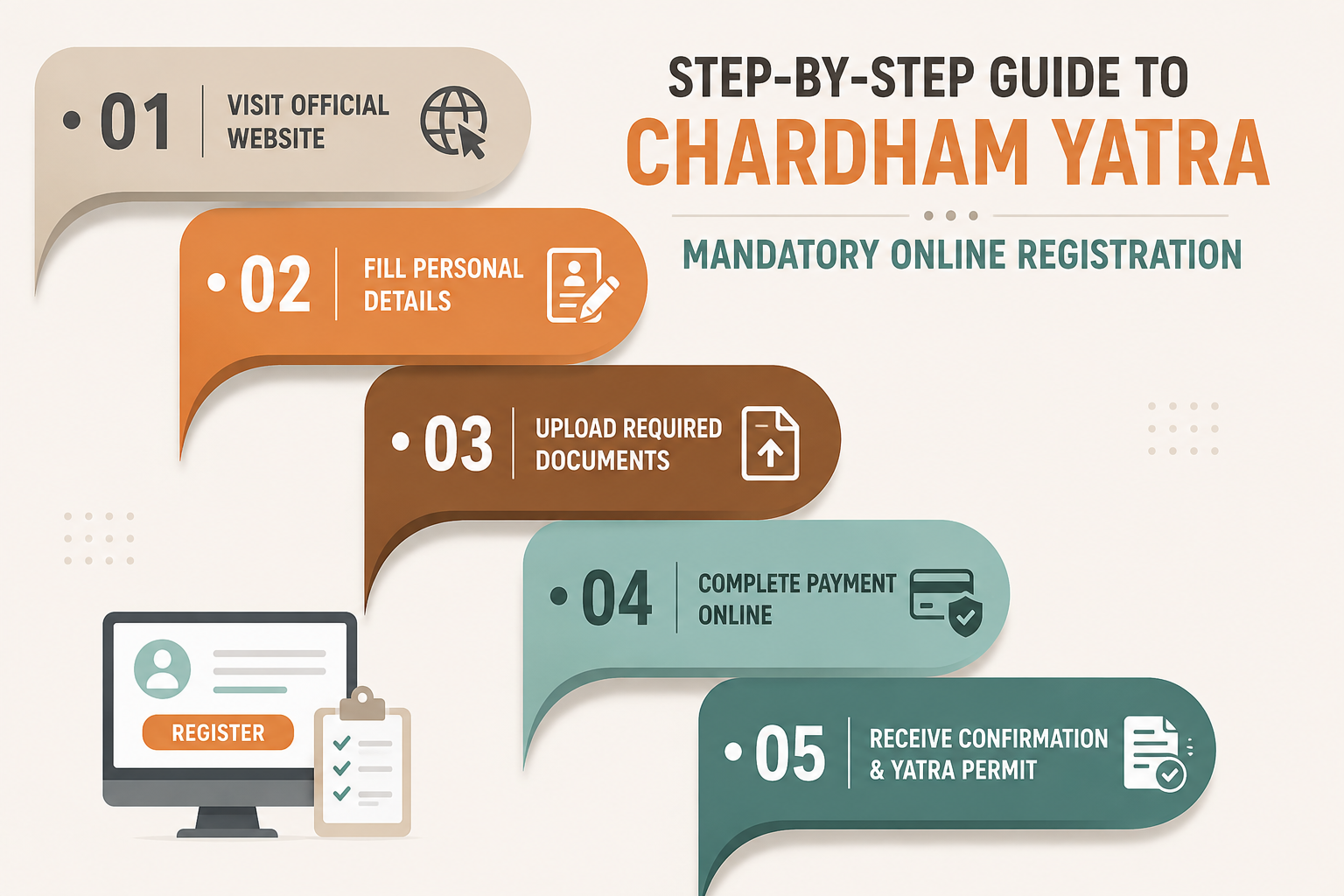
Registration is one of the most important formalities to complete before beginning the Chardham Yatra to Yamunotri, Gangotri, Kedarnath and Badrinath. For the 2026 Yatra season, Uttarakhand Tourism continues to operate the official Tourist Care Uttarakhand registration system for pilgrims.
The process is designed to help authorities manage pilgrim movement, verify travelers at important checkpoints and provide better assistance during emergencies. Registration itself is currently free through the official Uttarakhand Tourist Care system.
If your journey includes Kedarnath and Badrinath, complete your registration before finalizing the operational parts of your itinerary. You can then plan your hotel in Kedarnath and review Hotel Yoga Badrinath according to your registered travel dates.
IS CHARDHAM YATRA REGISTRATION MANDATORY?
Yes. The official Tourist Care Uttarakhand portal states that registration is mandatory for the Chardham Yatra.
Pilgrims should complete registration before reaching the high-altitude temple routes rather than assuming that registration can always be arranged at the last moment.
WHICH DESTINATIONS ARE COVERED?
The official registration system covers:
- Yamunotri
- Gangotri
- Kedarnath
- Badrinath
- Hemkund Sahib
IS THERE A CHARDHAM REGISTRATION FEE?
The official Uttarakhand Tourist Care FAQ currently states that there is no fee for Chardham registration.
If an unknown website or individual asks for a separate government registration charge, verify the claim before making payment.
USE ONLY THE OFFICIAL REGISTRATION SYSTEM
The official registration portal is operated by the Uttarakhand Tourism Development Board under the Tourist Care Uttarakhand system.
When searching online, check the domain carefully instead of clicking the first advertisement or sponsored result.
STEP 1: OPEN THE OFFICIAL TOURIST CARE PORTAL
Visit registrationandtouristcare.uk.gov.in.
The official portal contains options for registration, viewing or modifying a tour, downloading registration letters, vehicle registration, health information and other Yatra-related services.
STEP 2: CREATE YOUR ACCOUNT
New users need to sign up using the details requested on the portal.
Keep access to the mobile number and email address entered during registration because OTP verification and future communication may depend on them.
STEP 3: LOGIN TO YOUR ACCOUNT
Once the account is created, login using your registered credentials.
Do not create multiple unnecessary accounts for the same family unless the system specifically requires it.
STEP 4: CREATE YOUR TOUR PLAN
The portal allows pilgrims to create a tour and select the destinations they intend to visit.
Choose your Yatra destinations and dates carefully because your travel plan becomes part of the registration information.
STEP 5: ADD PILGRIM DETAILS
Add each traveler included in the journey.
Enter names and identification details accurately. Avoid spelling differences between your registration and government-issued identification wherever possible.
DOCUMENTS TO KEEP READY
The official Tourist Care FAQ lists commonly accepted documents such as:
- Aadhaar Card
- Voter ID
- Driving Licence
- Passport
- Mobile or phone number
Use the identification option accepted by the current registration form.
STEP 6: ADD YOUR EMERGENCY CONTACT
The official FAQ states that providing an emergency contact is mandatory.
Choose someone who can actually be contacted during your journey.
STEP 7: ENTER VEHICLE DETAILS WHERE APPLICABLE
If your trip involves a personal, commercial or registered Yatra vehicle, additional vehicle formalities may apply.
Vehicle-related requirements are separate from the pilgrim registration itself and should be completed through the appropriate Uttarakhand transport system.
STEP 8: REVIEW EVERYTHING BEFORE SUBMISSION
Check:
- Pilgrim names
- Mobile number
- Identification details
- Travel dates
- Selected Dhams
- Emergency contact
Correcting an error before final submission is easier than discovering it at a verification checkpoint.
STEP 9: COMPLETE REGISTRATION
Submit the required information through the portal.
Once successfully registered, the system generates registration information associated with the pilgrim or group.
STEP 10: DOWNLOAD YOUR REGISTRATION LETTER
The Tourist Care dashboard provides an option to download the registration letter and certificate.
Save a digital copy on your phone and, where practical, carry a printed version as backup.
WHY THE QR CODE IS IMPORTANT
The registration document is used for verification during the Yatra.
The official portal provides a dedicated facility to verify a Yatra Registration Letter using the unique registration number and registered mobile number.
WHERE IS REGISTRATION VERIFIED?
The official Tourist Care information states that verification counters are available at the entry gates of the Dhams and Hemkund Sahib.
Keep the QR registration document accessible rather than buried inside luggage.
WHAT IF YOU FORGET TO REGISTER BEFORE LEAVING HOME?
The official FAQ currently states that pilgrims who have not registered before starting can still register through the portal while traveling or visit registration centers.
However, depending on crowds and administrative restrictions, relying on last-minute registration can create delays.
OFFLINE REGISTRATION CENTERS
The official portal lists registration facilities at multiple points on the Yatra route, including locations such as:
- Haridwar Rahi Hotel
- Haridwar Railway Station
- Rishikesh ISBT
- Rishikesh Gurudwara
- Barkot
- Janki Chatti
- Hina/Uttarkashi sector
- Rudraprayag
- Karnaprayag
- Phata
- Guptkashi
- Sonprayag
- Gaurikund
- Kedarnath
- Joshimath
- Govindghat
- Pandukeshwar
- Badrinath
Operating counters and procedures can change during the season, so confirm current availability before depending on a particular center.
REGISTRATION THROUGH THE TOURIST CARE APP
Uttarakhand Tourism also promotes the Tourist Care Uttarakhand mobile application for Yatra services.
This provides another option for travelers who prefer completing registration on a mobile device.
REGISTRATION FOR FAMILIES
Enter each family member accurately and keep identification available for every traveler where required.
If the family includes elderly pilgrims, keep medical information and emergency contacts readily accessible.
REGISTRATION FOR GROUPS
Large groups should complete registration before departure rather than asking dozens of pilgrims to register individually at a crowded route checkpoint.
Keep a clear list linking travelers to their registration details.
REGISTRATION FOR KEDARNATH PILGRIMS
Kedarnath travelers should finish registration before moving toward Sonprayag and Gaurikund.
Once dates are confirmed, plan your hotel in Kedarnath around the actual date you expect to reach the temple area.
When comparing hotels near Kedarnath Temple, verify walking distance, stairs, room capacity, bathrooms and hot-water arrangements.
REGISTRATION FOR BADRINATH PILGRIMS
Badrinath travelers should likewise select their intended Dham date correctly.
After confirming the itinerary, pilgrims searching for a hotel in Badrinath can review Hotel Yoga Badrinath while planning their stay.
DO YOU NEED REGISTRATION BEFORE BOOKING A KEDARNATH HELICOPTER?
Yes. The official helicopter booking process requires Char Dham Yatra registration before passengers can proceed with Kedarnath helicopter ticket booking.
Your registration dates therefore need to match the helicopter travel plan.
WHAT IF YOUR TRAVEL DATE CHANGES?
Use the portal's current view or modify options where available and confirm that your updated itinerary is reflected correctly.
Never assume that an old registration automatically covers every changed travel date.
COMMON REGISTRATION MISTAKES
- Entering a wrong mobile number
- Entering names differently from the ID
- Selecting incorrect Dham dates
- Forgetting an emergency contact
- Not downloading the registration letter
- Assuming hotel booking equals Yatra registration
- Using an unofficial registration website
- Waiting until Sonprayag or another busy checkpoint to register
IMPORTANT: HOTEL BOOKING AND YATRA REGISTRATION ARE DIFFERENT
Reserving a Kedarnath hotel does not automatically register you for the Yatra.
Similarly, booking a Badrinath hotel does not replace the Uttarakhand Tourism registration process.
REGISTRATION CHECKLIST
- Visit the official Uttarakhand Tourist Care portal.
- Create or login to your account.
- Create your tour plan.
- Add every pilgrim correctly.
- Enter valid identification details.
- Add an emergency contact.
- Complete vehicle formalities if applicable.
- Review dates and destinations.
- Submit the registration.
- Download and save your registration letter.
- Keep the QR document available during travel.
- Recheck current official guidance before departure.
VIEW KEDARNATH HOTEL OPTIONS ON GOOGLE
FREQUENTLY ASKED QUESTIONS
Is Chardham Yatra registration mandatory?
Yes. The official Uttarakhand Tourist Care portal states that registration is mandatory.
Is Chardham registration free?
The official portal currently states that there is no registration fee.
Which documents can be used?
The official FAQ lists documents including Aadhaar, Voter ID, Driving Licence and Passport. Follow the current options available on the registration form.
Can I register after reaching Uttarakhand?
Offline and route registration options are available, but advance online registration is generally more convenient.
Do I need registration for Kedarnath helicopter booking?
Yes. Char Dham registration is required before booking the official Kedarnath helicopter shuttle service online.
Do I need separate hotel registration?
Hotel booking and Yatra registration are separate processes.
Where can I find a hotel in Kedarnath after registration?
You can review hotels in Kedarnath through Mudras Kedarnath on Google.
Where can I stay in Badrinath?
Pilgrims can review Hotel Yoga Badrinath while planning the Badrinath portion.
Should I print the registration letter?
Keeping both a digital copy and a printed backup can be useful during mountain travel.
Where can my registration be verified?
The official portal provides verification at Dham entry points and an online Yatra Letter verification facility.